
WORK / CASE STUDY 2
Xhalf
A default vertical format, 2-in-1 compact body camera is one of newest additions to Fujifilm’s offerings in 2025. The first of its kind, this camera is targeted at non-photographers who are used to snapping with their iphone.

CLIENT
Fujifilm
SECTOR
Imaging
MY ROLE
Product Designer
TIME
4 Months
PROJECT OVERVIEW
THE PROBLEM
As the Xhalf is targeted at users who don’t know how to use cameras, FUJIFILM needed a way to show users how to use the Xhalf and its key features.
HYPOTHESIS
01 Buttons are not inuitive
02 Users will want to see the film simulations
03 Users are unaware of what the camera does
PROJECT OVERVIEW
BUSINESS OBJECTIVE
Provide a fun and interactive way to showcase the Xhalf - increase awareness and impressions
RESULTS
1x Camera simulation
50% Engagement with camera simi
1M impressions
PROJECT OVERVIEW
DESIGN PROCESS
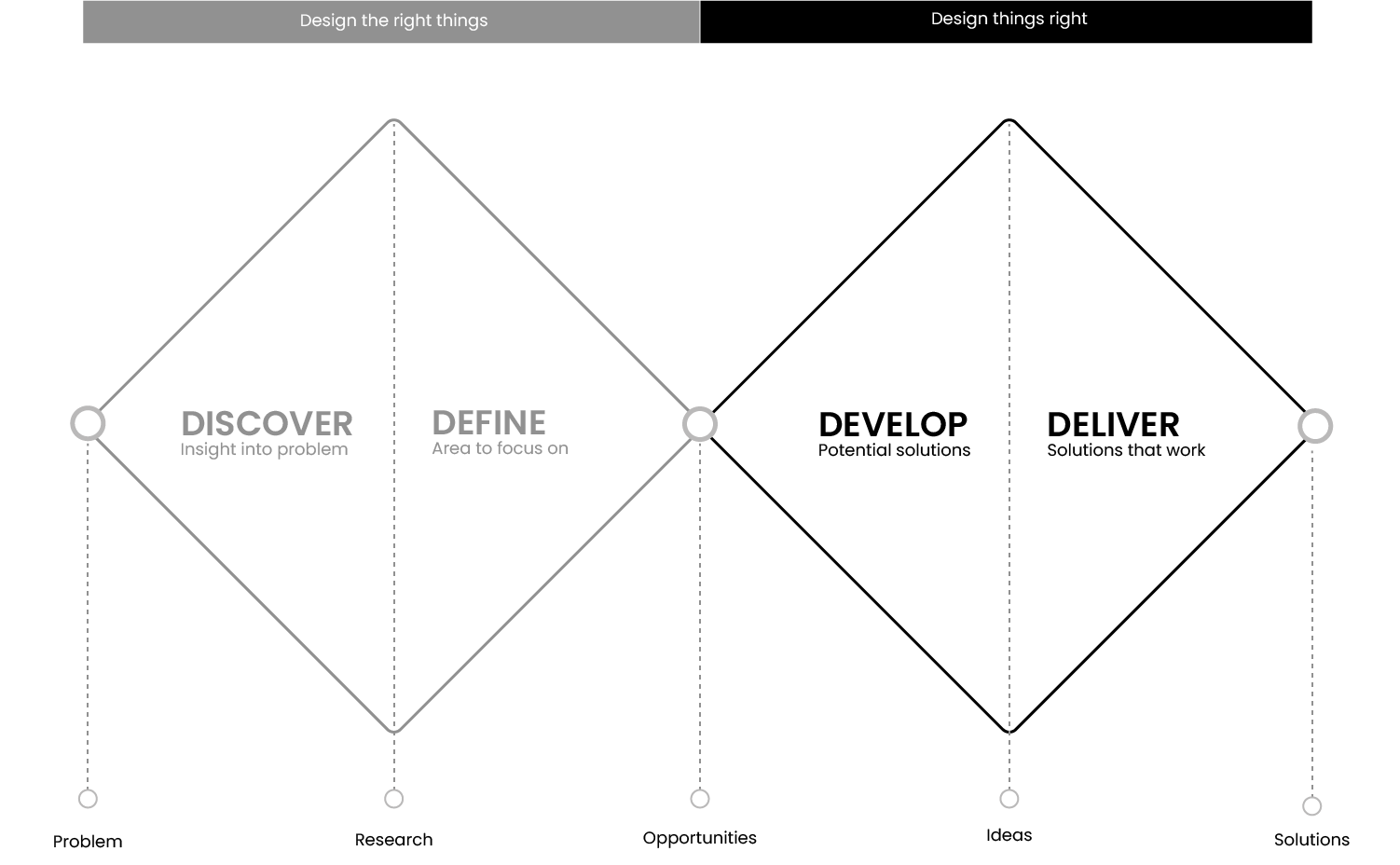
I approached this design challenge with two different types of thinking:
Divergent: keep an open mind
Convergent: narrowing down to the best idea
UNDERSTANDING THE USER
FIELD TESTING
I conducted interviews with users of varying photography knowledge and asked them to perform a few tasks with the Xhalf.
LOCATION
BRISBANE
PARTICIPANTS
5 PEOPLE
LENGTH
45 MINUTES
UNDERSTANDING THE USER
KEY INSIGHTS
User testing results were synthesised into actionable insights. This ensured that all design decisions were human centered and based on real user data.
“
I dont know where the on/off button is.
“
The film simulations are very cool.
“
I don’t know what aperture is and how to change it.
BUTTONS
Users need to shown where the key buttons, such as ‘on/off’, ‘play’ and ‘delete’.
FILM SIMULATIONS
Users loved the film simulations of the camera and want to see which were available and how it effects the photo.
MENU
Users require guidance to find the menu and settings available on the Xhalf.
UNDERSTANDING THE USER
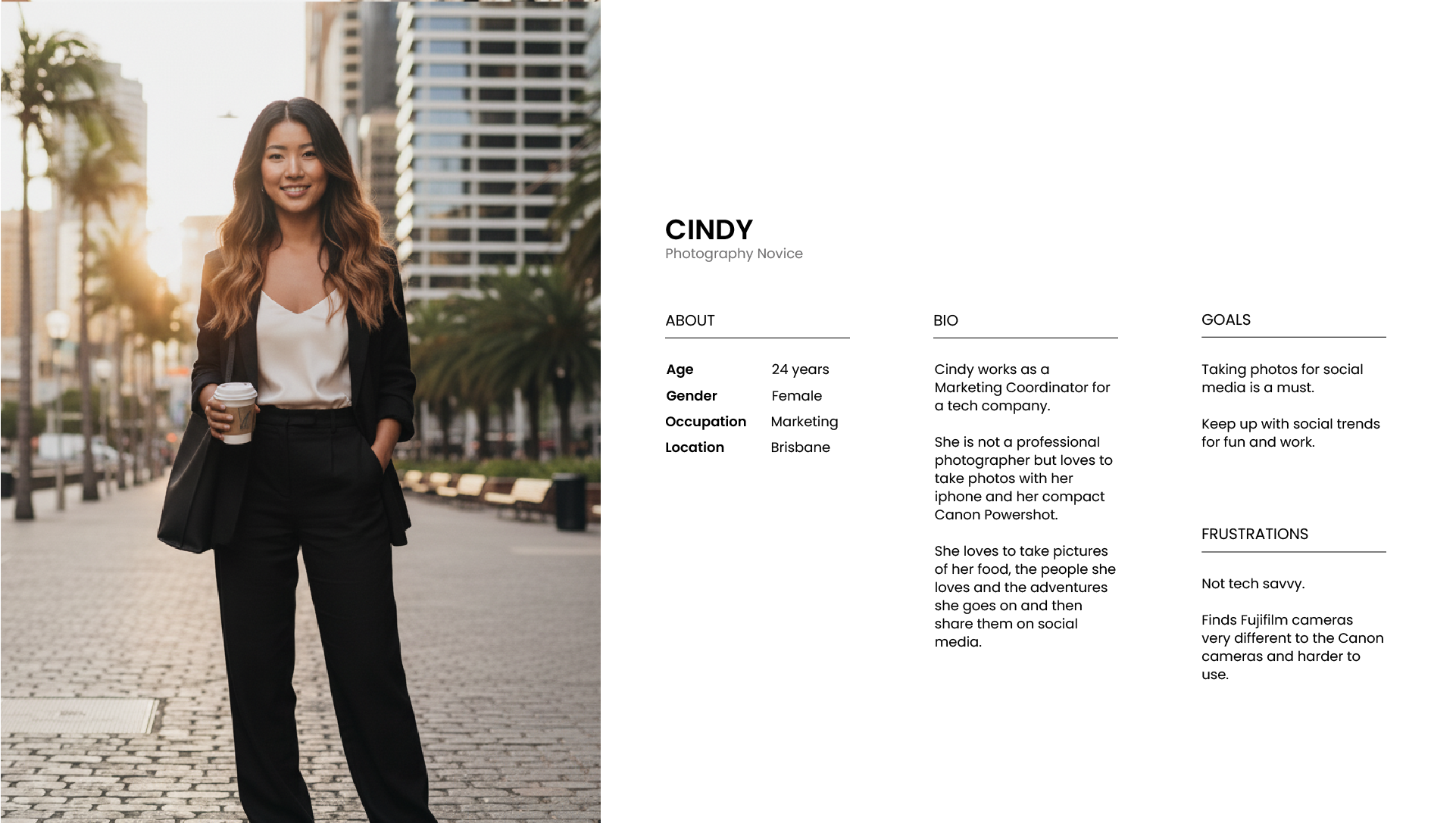
USER PERSONAS
Fictional personas were built using data gathered from user research interviews. Their goals and characteristics represent the needs of a larger group of users. This helped me build empathy, identify patterns of behaviour and preferences.
PROBLEM STATEMENT 01
Cindy is Marketing Coordinator who loves to take photos with her iphone. She also loves sharing her photos on social media.
UNDERSTANDING THE USER
USER JOURNEY MAP
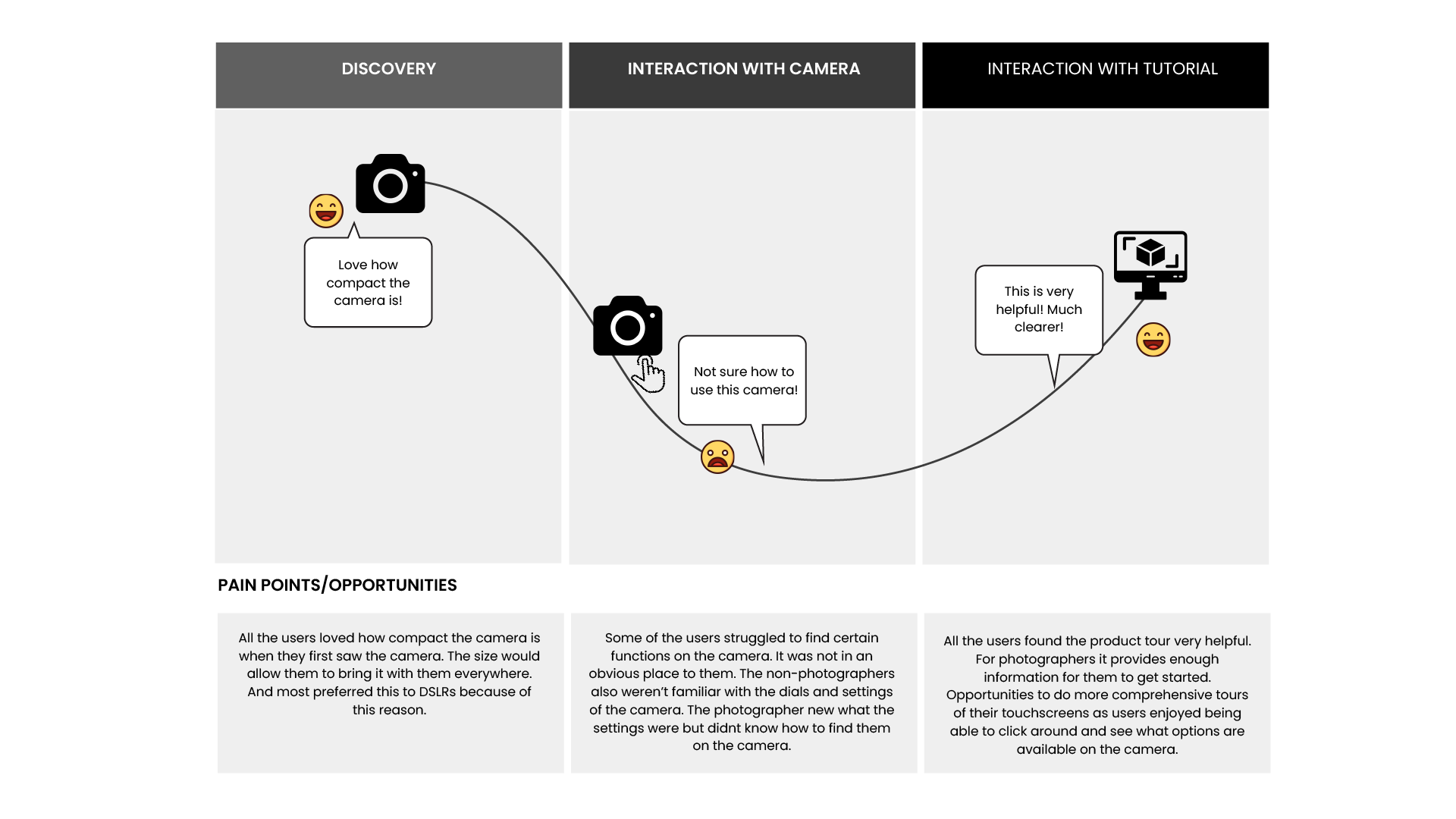
I created a journey map to analyse the touchpoints between the user and the product. This helped me empathise with the user, highlight frustrations and improvement opportunities.
THE SOLUTION
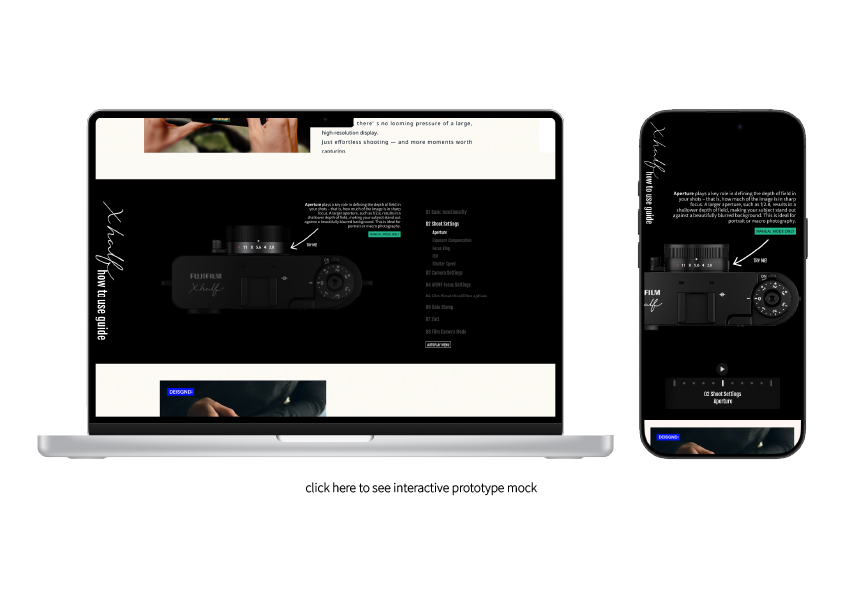
THE PROTOTYPE
A simulation of the final product used for testing and validating design decisions before development.
FINALISING THE DESIGN
ACCESSIBILITY
Accessibility is important because it ensures that everyone, regardless of their abilities can access and use the products, promoting inclusion.
COLOUR CONTRAST
Previous branding of Intent Connect was did not pass WCAG standards. New branding follows WCAG and has high contrast.
RESPONSIVE DESIGN
Users may access the website from a variety of devices with different sizes.
GOING FORWARD
LESSONS LEARNT
I took sole ownership and redesigned an end-to-end data intelligence platform. Collaborating with internal and external stakeholders to ensure customer needs, technical constraints and business objectives were meant.
WENT WELL
Advanced Prototyping Using variables and detailed rendering, I was able to simulate the movements and functions of a camera to 80% accuracy.
User Research Having a prototype of the camera to test in real time and ask them questions as they were using it gave a fresh perspective on what was needed for the simulation.
TO IMPROVE
Figma constraints Waiting on a new software update that will provide more flexibility and complexity to designs.
Further testing, with a more diverse users to provide more data on how to improve usability of the simulation.